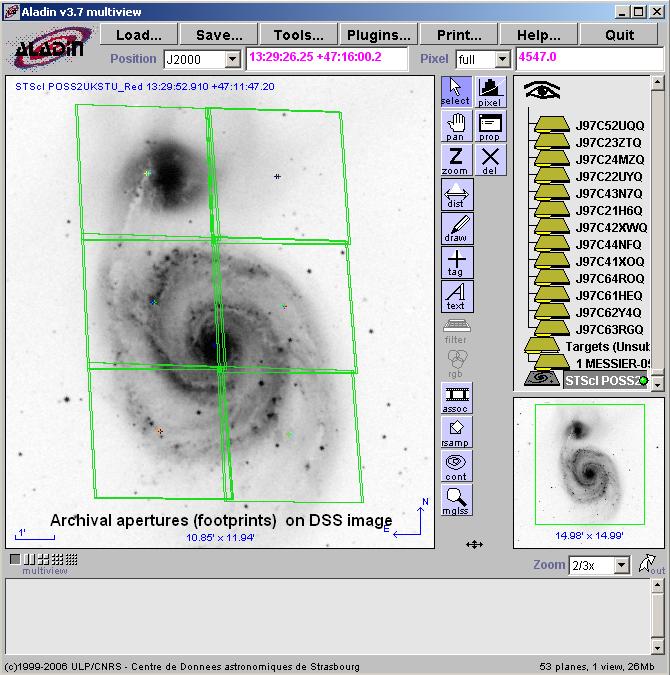
Using Starview with Aladin
You can use Starview to overlay the footprints of HST observations onto
DSS (or other) images. Bring up the
 View in Aladin tool, and
select the Load button; note that the coordinates of the target will
already be in place if you have a target select in the APT Tree
Editor.
View in Aladin tool, and
select the Load button; note that the coordinates of the target will
already be in place if you have a target select in the APT Tree
Editor.
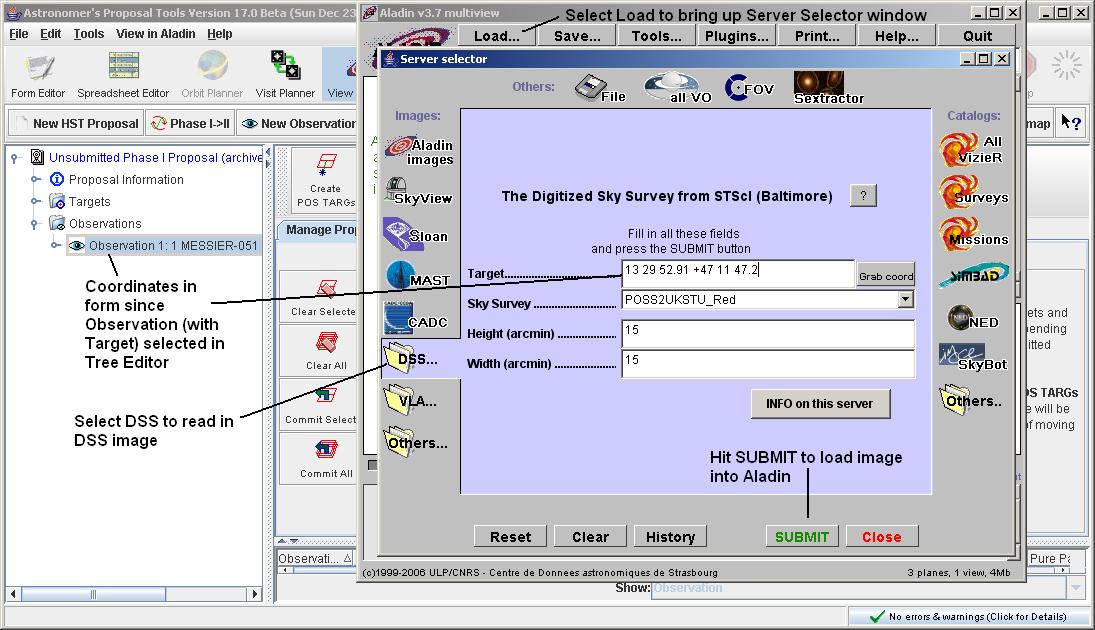
Select the DSS option and hit Submit to load the image.

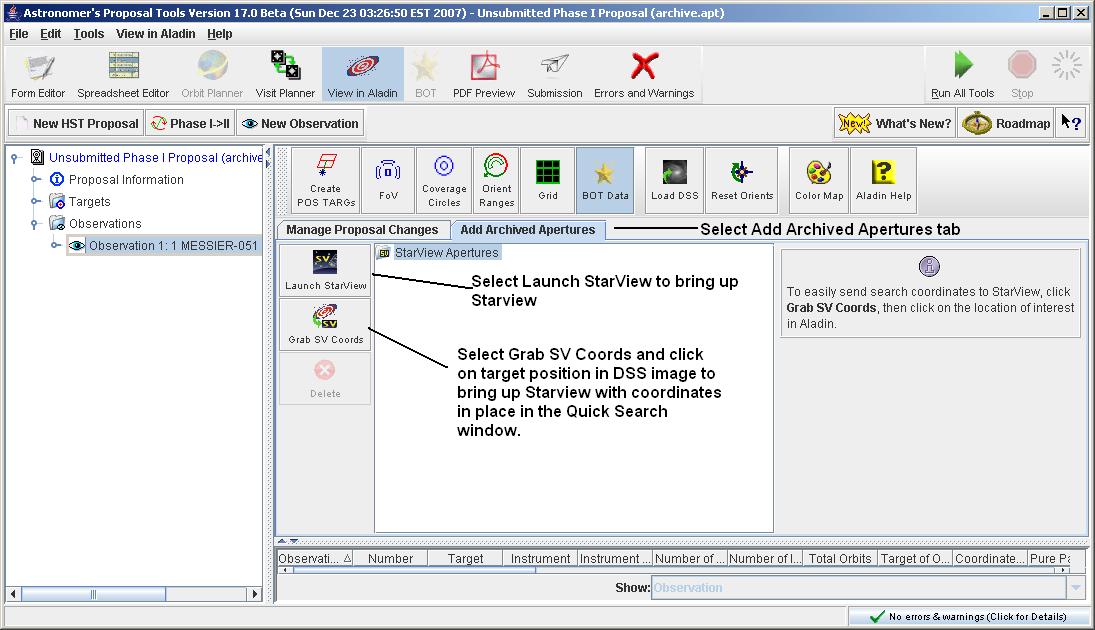
Go back to the APT window, and select the Add Archived Apertures tab.
Click on the Launch Starview button to bring up Starview.
Perform the desired Starview query, and select the observations of
interest.
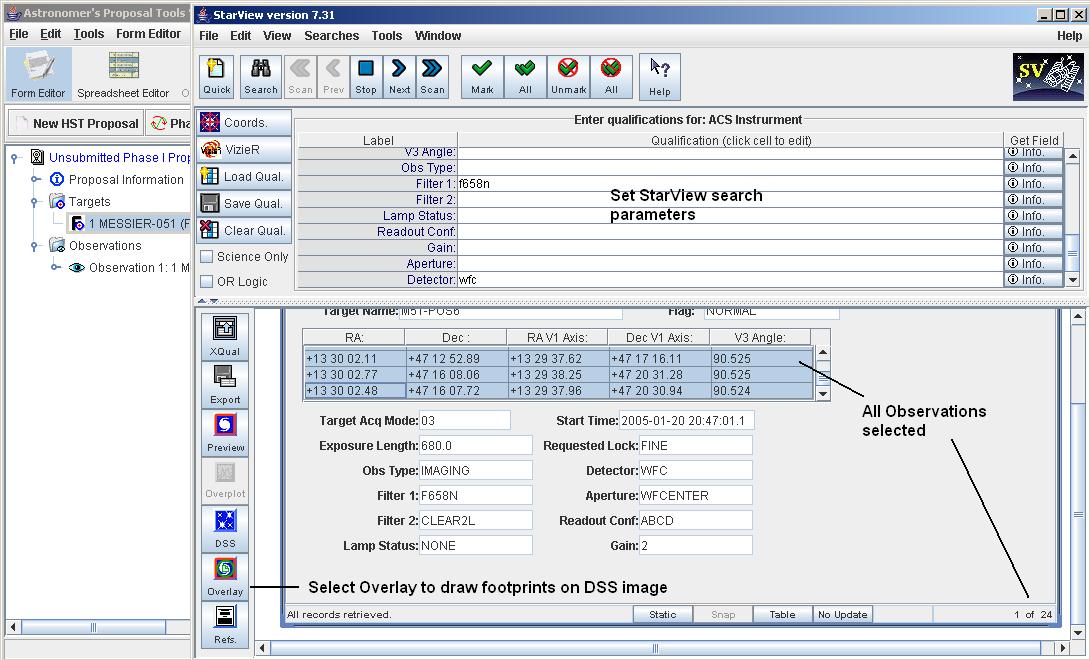
Click on the Overlay button in Starview, and the HST aperture footprints
will be overlayed on the image.